Where are your emails stored when you use a third-party client?
With a third-party client connected via IMAP and SMTP, your messages stay on your email provider's server. The client displays a local copy, a cache, on your device. Depending on how it is designed, it may also route or store data on its own servers.
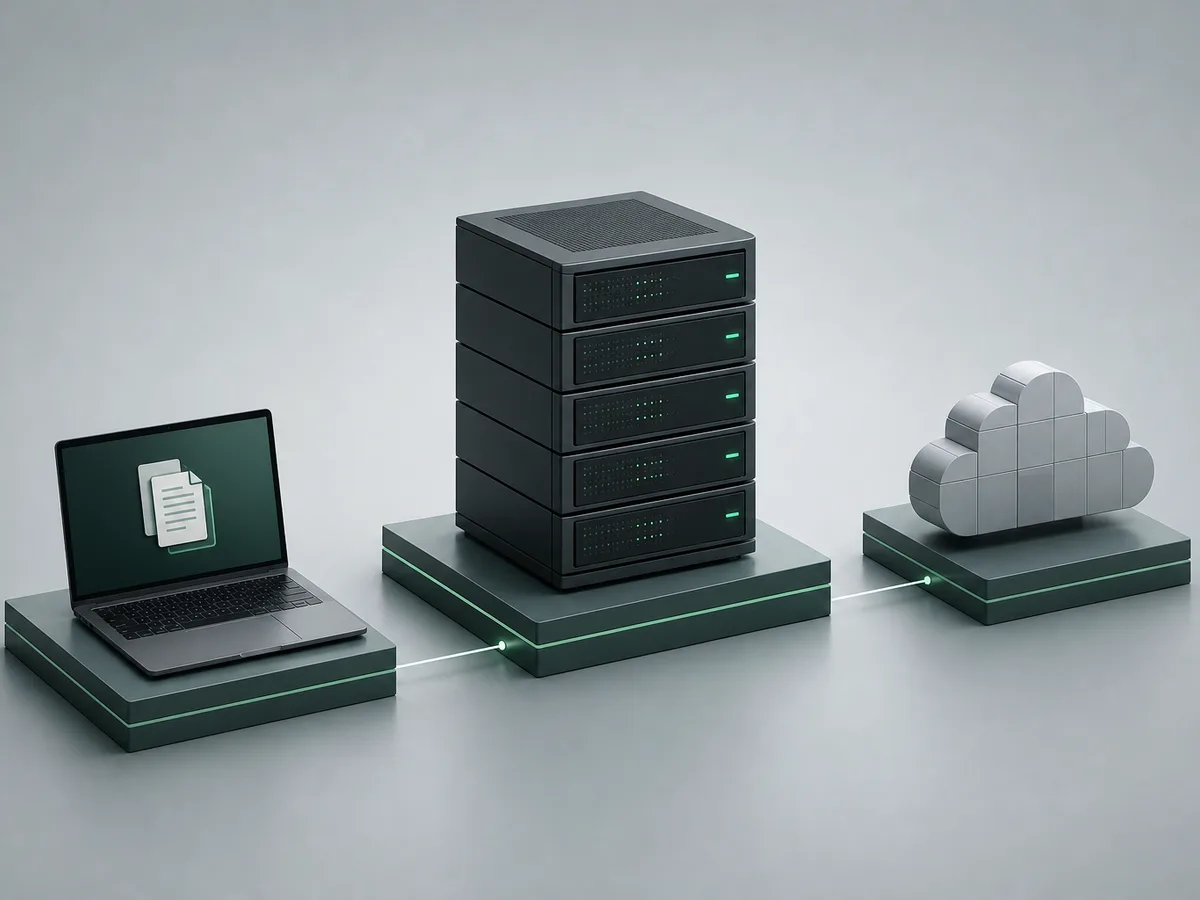
Email storage therefore happens in three places.
Your provider's server
This is the source of truth. Your inbox, folders and sent messages are kept there. Their geographic location depends on the provider of the address (Gmail, Outlook, a French host, your own domain), not on the client you use to read them.
Your device
The client downloads some or all of your messages so it can display them quickly and let you read them offline. This copy lives on your computer or phone. If the device is not encrypted, it is also exposed if the device is lost or stolen.
The client's servers
Some clients connect directly to your provider. Others relay synchronization through their own cloud, for example to send notifications or process messages remotely. In that case, a third party may see some or all of your data.
EU hosting at your provider therefore guarantees nothing about the other two places. You need to look at each link separately.
Server, device, client cloud: three places to tell apart
IMAP syncs your inbox from the server. The client requests the list of folders and messages, then displays them. A message that you read, move or delete in the client is changed on the server, and your other devices see the same state. Messages don't "live" in the client: it keeps a local cache for display and search.
SMTP, for its part, sends. When you write a reply, the client passes it to your provider's outgoing server, which delivers it to the recipient. SMTP doesn't read your mailbox and doesn't store anything lasting on the client side, apart from the copy of the sent message.
Direct connection or cloud relay
A direct-connection client talks to your provider over IMAP and SMTP from your device. No intermediary sits between the two. Data travels between the server and you, and the cache stays on the device.
A relay client routes synchronization through its own servers. These connect to your provider, fetch the messages, then pass them on to the app. This enables instant notifications or remote sorting. It also adds another place where data is processed, with its own retention rules.
The limit
Where your emails are located depends on each link: the provider's server, the device, and the client's cloud if there is one. An EU region in one place says nothing about the other two.
How do you check hosting and data processing?
Check each link in turn, in this order.
Find the server region of your email address provider. Consult its documentation, its data center pages or its contract. If the information isn't there, ask support. Do this for each address, because two accounts in the same client may depend on different regions.
Read the client's privacy policy. Look for what is collected: message content, metadata (senders, subjects, dates), login credentials. Also check the retention period and how deletion works.
Determine whether the client uses a relay. A phrase such as "our servers connect to your account" signals cloud-side synchronization. If the text describes strictly local processing, the connection is made directly between your device and the server. If in doubt, ask in writing.
Look at the list of subprocessors. A software publisher subject to the GDPR must be able to name the providers that process data on its behalf (host, notification service, analytics tool) and state their country. A missing or unfindable list is information in itself.
Check the conditions for transfers outside the EU. The document must specify whether data leaves the European Union and on what legal basis: standard contractual clauses, an adequacy decision or another mechanism.
If an answer remains vague, make a note of it. You can then decide with full knowledge of the facts, account by account.
Managing several addresses without multiplying the risks
Each address has its own provider, and therefore potentially its own hosting region. A work address with a European host and a personal address with a US service can coexist in the same app. The client displays them side by side, but it doesn't change where each server stores your messages.
A few habits help limit the risks.
- Draw up an inventory. For each address, note the provider, the server region and the date of your last check.
- Encrypt your devices. The local cache contains a copy of your messages. Turn on disk encryption, a screen lock and, if needed, remote wipe.
- Limit shared access. In an agency or a support team, avoid a shared password. Prefer named accounts, shared mailboxes managed by the provider or separate app passwords, which you can revoke one by one.
- Separate uses. Keep sensitive addresses (clients, contracts, health or payroll data) in a separate profile or on a separate device.
- Remove an account when needed. When an assignment ends or a colleague leaves, delete the account from the client, revoke the app password on the provider's side, then check that the local cache has actually disappeared.
An email client remains an intermediary. It can limit what it collects and connect directly over IMAP and SMTP, but it controls neither your provider's server nor the security of your device.